DrivePro download for android 13 (Tiramisu)
APK file DrivePro compatible with Android 13How to install APK / APKS / OBB file on Android
Last checked date: November 23, 2025
Short info
In general apk file DrivePro has rating is 7.2 from 10. This is cumulative rating, most best apps on google play store have rating 8 from 10. Total reviews in google play store 6137. Total number of five star reviews received 2386. This app has been rated like bad by 1136 number of users. Estimated number of downloads range between 100,000+ downloads in google play store DrivePro located in category Tools, with tags and has been developed by Transcend Information, Inc.. You can visit their website http://www.transcend-info.com or send service-tw@transcend-info.com to them. DrivePro can be installed on android devices with 4.4(Kitkat)+. We provide only original apk files. If any of materials on this site violates your rights, report us You could also download apk of Google and run it using android emulators such as big nox app player, bluestacks and koplayer. You could also download apk of DrivePro and run it on android emulators like bluestacks or koplayer. Versions of DrivePro apk available on our site: 6.0.0, 5.15, 5.13, 5.12, 5.8 and others. Last version of DrivePro is 6.0.0 was uploaded 2025/23/11
Screenshots of DrivePro


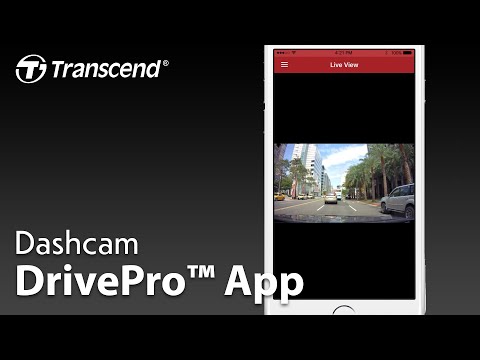

Description of DrivePro (from google play)
DrivePro is designed to work with Transcend's DrivePro Car Video Recorder.
For your own safety, do NOT operate the DrivePro or use the App while driving.
If your device can't connect to DrivePro or show DrivePro "Internet not available", please go Settings > Wi-Fi > Press Menu Key > Advanced > Turn off "Auto network switch", then connect again.
For more information, please visit http://us.transcend-info.com/product/cvr
Version history DrivePro
New in DrivePro 6.0.0
* Enhance App stability.Advertisement
Please rate this app
More info
- LicenseFree
- File nameDrivePro
- File Version6.0.0
- Package namecom.transcend.cvr
- Size53.26 MB
- UploadedNovember 23, 2025
- Android8.0 or later
- CategoryTools
- DeveloperTranscend Information, Inc.
- Developer site
- Developer emailservice-tw@transcend-info.com
- md5 hash348c0bce4ecedbed139477865b774742
- Architecture-
- Permissionsshow (16)